

No affiliate links or sponsorship. BravoTech isn’t affiliated with any downloader or with Instagram or Meta. This SnapInsta review is editorial, based on published sources rather than a hands-on test, and downloader domains appear as plain text. More in our app and service reviews.
Quick answer
SnapInsta isn’t one product. It’s a name used by several unaffiliated websites that save public Instagram photos, videos, Reels, and Stories from a pasted link, and none is run by Instagram or Meta. The original snapinsta.app was ordered transferred to Instagram, LLC by a WIPO panel on March 24, 2025, and no longer loads. Our editorial score is 3.5/10: use Instagram’s own Reels download or data export instead.
Key takeaways
- No official SnapInsta: snapinsta.app and snapinsta.io now sit on Facebook name servers and don’t load, and the RDAP record for snapinsta.io lists Instagram, LLC as registrant (checked October 11, 2026).
- Different operators: snapinsta.to names no operator and lists only a Gmail address; snapinsta.ai names a developer, “Adam Leon,” and a Singapore address. Both run Google AdSense.
- Instagram’s rules: the Terms of Use bar collecting information “in an automated way without our express permission.”
- Red flags: a downloader for public posts never needs your Instagram password, and apps, APKs, and extensions carry more risk than a web page.
- Better first options: Instagram’s built-in Reels download (when the creator allows it), private Saved collections, and Accounts Center export for your own posts.
Our verdict
Editorial score: 3.5/10
Verdict: SnapInsta scores 3.5 out of 10
We don’t recommend SnapInsta-branded sites for most people. The name no longer points to one accountable service. The best-known domain now belongs to Instagram, the sites still using the name are run by different, thinly disclosed operators, and they’re paid for by ads. Instagram’s Terms prohibit automated collection without permission, and Instagram has recovered three SnapInsta-style domains through WIPO since March 2025.
Who might still consider it: someone saving their own public posts who accepts the privacy trade-offs. Who should skip it: anyone planning to repost other creators’ videos, anyone on a work or shared device, and anyone asked to install an app, extension, or APK. Instagram’s built-in download and export tools cover most needs without a third party.
Fact sheet · checked October 11, 2026
- What it is: A name shared by unrelated web downloaders. There is no official version
- Operators: snapinsta.to: not named (Gmail contact). snapinsta.ai: “Adam Leon” (self-described, Singapore address)
- Cost: Free, ad-supported (Google AdSense code on both sites)
- Account: No Instagram login requested, according to both sites
- Apps pushed: snapinsta.to: an Android app on Google Play. snapinsta.ai: SnapTik on Google Play and an App Store app
- Original domain: snapinsta.app, ordered transferred to Instagram, LLC (WIPO, March 24, 2025)
- Best for: Nobody by default. Try Instagram’s own tools first
What is SnapInsta in 2026?
SnapInsta is the name used by several unaffiliated websites that save public Instagram photos, videos, Reels, and Stories when you paste a post link. None is run by Instagram or by Meta Platforms, Inc., the company that provides Instagram under its Terms of Use. The sites say so themselves: the footers of snapinsta.to and snapinsta.ai both state they aren’t affiliated with Instagram or Meta (checked October 11, 2026).
Don’t confuse it with SnapTik, a separate downloader brand, or with Snapchat. The two get mixed up because the WIPO panel noted that the old snapinsta.app site linked to a SnapTik app, and snapinsta.ai still links to a SnapTik listing on Google Play.
What happened to snapinsta.app?
snapinsta.app, the domain most people mean by “SnapInsta,” was ordered transferred to Instagram, LLC on March 24, 2025, in WIPO case D2025-0119, together with snapinst.app. The panel found the names confusingly similar to Instagram’s INSTA trademark and recorded that the site carried advertising banners. The respondents were two individuals in Vietnam.
The panel was careful about scope. It said it had not considered it necessary to make any finding on whether the service complied with Instagram’s terms, and decided the case purely on likelihood of confusion with the trademark. Two more transfers followed: snapinsta.io on May 16, 2025 (DIO2025-0010), and snapinstagram.pro on July 6, 2026 (D2026-1850).
Today both domains are delegated to Facebook name servers and don’t resolve. The registry record for snapinsta.app lists those name servers, and the record for snapinsta.io names Instagram, LLC as registrant (both checked October 11, 2026). Any guide that sends you to “the real snapinsta.app” is out of date.
Which SnapInsta sites are online today?
Several sites still use the name, and they don’t appear to share an owner. snapinsta.to and snapinsta.ai, for example, load Google AdSense with different publisher IDs in their page code.
| Domain | Status (Oct 11, 2026) | Operator named? | Ads | Apps promoted |
|---|---|---|---|---|
| snapinsta.app | Doesn’t resolve; Facebook name servers | Now Instagram’s (WIPO transfer) | None | None |
| snapinsta.io | Doesn’t resolve; registrant Instagram, LLC | Now Instagram’s (WIPO transfer) | None | None |
| snapinsta.to | Online (redirects to /en46) | No; Gmail contact only | Google AdSense | Android app on Google Play |
| snapinsta.ai | Online (snapins.ai redirects here) | Yes: “Adam Leon” (self-described) | Google AdSense | SnapTik (Google Play), an App Store app |
| snapinsta.net | Online | Branded “PAKTOTO”; footer says “This is a demo page” | Not assessed | Not assessed |
| snapinsta.cc | Redirects to a parked-style subdomain | No | Not assessed | Not assessed |
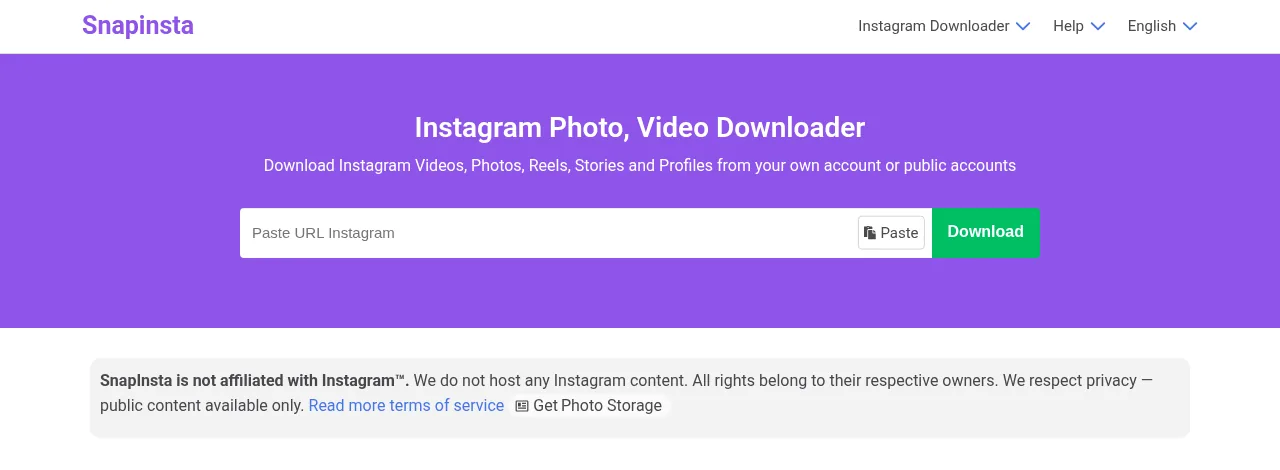
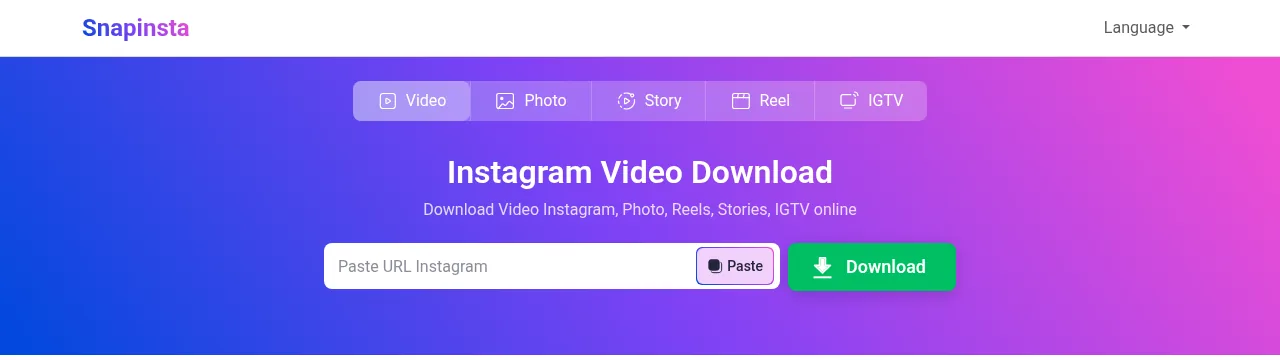
Other sites trade on the name too. snapinsta.org promotes “GBWhatsApp” alongside its downloader. A Chrome extension called SnapInsta – Video & Photo Downloader (version 1.3.1, updated July 28, 2026, 2 ratings) lists snapinsta.biz as its website and a brickai.asia contact address. Same name, yet another publisher.
How we checked and scored this SnapInsta review
How we score
This is an editorial review built from published facts, not a lab test. We didn’t download any content, install any app or extension, or run speed, quality, or malware tests. On October 11, 2026 (PKT), we read the live homepages, privacy policies, and contact pages of snapinsta.to and snapinsta.ai. We also checked RDAP and DNS records for snapinsta.app and snapinsta.io, and read the WIPO decisions, Instagram’s Terms and Help Center, and the security research cited below. Our checks ran from a non-US server, so pages may differ by country.
Scoring. Five criteria, each scored out of 10 from published information: safety and privacy disclosure (25%), ads and redirects (20%), legal and Terms of Use risk (25%), ease of use as the sites describe it (15%), and value compared with Instagram’s own options (15%). The weighted total is an editorial rating of the published record, not a measured result.
| Criterion | Weight | Score | Why |
|---|---|---|---|
| Safety and privacy disclosure | 25% | 3/10 | One site names no operator; both policies are vague, and one contradicts itself |
| Ads and redirects | 20% | 4/10 | Both run AdSense. We found no credible report of malicious redirects on these domains, but the category has documented risks |
| Legal and Terms of Use risk | 25% | 2/10 | The Terms bar automated collection; Instagram recovered three SnapInsta-style domains |
| Ease of use (as described) | 15% | 7/10 | Paste a link, no login, according to both sites |
| Value vs. Instagram’s own tools | 15% | 3/10 | Native download, Saved, and export cover most legitimate needs |
| Weighted total | 100% | 3.5/10 | Editorial rating |
Is SnapInsta safe?
There’s no single answer, because there’s no single SnapInsta, and the sites using the name give you little to judge them by. We found no credible security report naming snapinsta.to or snapinsta.ai as malicious, and we didn’t test them ourselves. Their own pages show this much: one hides its operator, both run ad networks, and both push apps.
Who runs the sites, and what do their privacy policies say?
snapinsta.to names no company or person; its About and Contact pages list only a Gmail address. Its privacy policy says the site “does not collect or store your data, period.” The same policy also says it may collect “non-personal identification information” such as browser and operating system, and that ad partners “may set cookies” to serve targeted ads, including through Google AdSense.
snapinsta.ai says it’s developed by “Adam Leon,” a software engineer, and lists an office address in Singapore. We couldn’t verify that identity independently. Its privacy policy says it doesn’t store personal data or the Instagram URLs you submit. It also says its servers may log browser type, operating system, referring site, country-level location, and pages visited, and that Google AdSense may use cookies. Its homepage claims the tool has run “since 2019,” which we also couldn’t verify.
Ads, redirects, and fake download buttons
Both sites embed Google AdSense code (checked in their page source on October 11, 2026), and snapinsta.to says it places “a few ads to sustain and upgrade the service.” We have no credible report of either site redirecting visitors to malware. The wider category of free download sites, though, has a documented record:
- AhnLab ASEC (July 30, 2025) found YouTube download sites where the “Download Now” button sent users “either to an advertisement page or to a malware download page,” which installed proxyware.
- Malwarebytes (August 19, 2026) documented 41 download sites that show a genuine link when you hover, then use JavaScript to send the click elsewhere. Its advice: “Don’t rely on hovering over a link alone.”
- Check Point Research (June 3, 2026) traced fake download portals whose first click fed a traffic distribution system. The route depended on factors including “the user’s country, browser type, VPN usage,” and some chains ended in infostealers.
These are category risks, not findings about SnapInsta. They explain why a site that looks clean to one visitor can behave differently for another, and why an ad blocker and a skeptical eye matter on any free download site. For the basics, see our explainer on the difference between malware and a virus.
Apps, APKs, and browser extensions
Installing something carries more risk than visiting a web page. snapinsta.to links an Android app on Google Play, and snapinsta.ai links a SnapTik app on Google Play and an iPhone app on the App Store. None of them is an Instagram product. Skip APK files offered by download sites entirely: they don’t come through Google Play at all.
Extensions deserve the same caution. In April 2026, LayerX reported at least 12 “TikTok video downloader” extensions, with over 130,000 users affected, that worked as advertised while collecting fingerprinting data. They used remote configuration to change behavior after store review, and some carried a “Featured” badge. The SnapInsta Chrome extension isn’t part of that report, but the pattern shows why a store badge isn’t proof of safety.
Does SnapInsta need your Instagram password?
No. Both snapinsta.to and snapinsta.ai say they don’t require an Instagram login, and a tool that only fetches public posts has no reason to ask. Treat any SnapInsta-branded page or app that requests your Instagram username and password as a red flag. Instagram’s Terms also bar anyone from soliciting or collecting other users’ login credentials.
Safety check · advice, not a guarantee
If you use a downloader anyway
- Never enter your Instagram password. Public-post downloaders don’t need it.
- Don’t install anything the site offers. That includes apps, APKs, and browser extensions.
- Ignore “Download” buttons shown before you paste a link. They’re often ads.
- Decline notification prompts and close any new tab you didn’t expect.
- Check what arrives. A video should be a video file, never an .exe or a password-protected archive. Scan anything unexpected before opening it.
- Use an ad blocker and an up-to-date browser, and prefer Instagram’s built-in options first.
Is it legal to use SnapInsta?
Using a downloader is a Terms of Use question first and a copyright question second, and neither has a one-line answer. Instagram’s Terms don’t name downloader sites, but they prohibit collecting information “in an automated way without our express permission” and helping others break the Terms. What you then do with the file is a copyright matter.
What do Instagram’s Terms of Use say?
Section 4.2 of the Instagram Terms of Use, an agreement between you and Meta Platforms, Inc., says you “can’t attempt to create accounts or access or collect information in unauthorized ways.” That includes “accessing or collecting information in an automated way without our express permission, regardless of whether such automated access or collection is undertaken while logged-in to an Instagram account.” Downloader sites work by fetching Instagram content on your behalf.
Instagram’s own position shows in its WIPO filings. In the 2026 snapinstagram.pro case, Instagram argued that such tools “are also in breach of the Meta Developer Policies and would violate the Terms of Use of Instagram” (D2026-1850). That was Instagram’s contention; the panel ordered the transfer on trademark grounds. And as noted above, the 2025 snapinsta.app panel expressly made no finding on Terms compliance.
Copyright: saving vs. reposting
Downloading a video doesn’t give you any rights to it. Instagram doesn’t claim ownership of what users post (Terms §4.3), so the creator keeps the copyright. Reposting or editing someone else’s video without permission can be reported through Instagram’s copyright process, and Instagram can disable accounts that “repeatedly infringe other people’s intellectual property rights” (Terms §6).
US fair use can allow some unlicensed uses, such as commentary or criticism, but courts decide it case by case on four factors: the purpose and character of the use, the nature of the work, the amount used, and the effect on the market. The U.S. Copyright Office says there is “no formula” for it.
Legal note
We found no US court ruling specifically on personal downloads of public Instagram videos, so be skeptical of any page that calls them simply “legal” or “illegal.” This is general information, not legal advice. For a specific use, ask a lawyer.
When is saving clearly fine?
- Your own posts. Export them from Accounts Center (steps below).
- Reels the creator lets you download. Instagram’s Download option appears only when the creator allows it.
- Content you have permission or a license to use. Get it in writing and keep it.
SnapInsta pros and cons
Pros
What works in its favor: It’s free. Both sites say no Instagram login is needed and describe a simple paste-a-link workflow. snapinsta.ai publishes a named developer, a contact address, and a privacy policy.
Cons
The catch: There’s no official SnapInsta, and the best-known domain now belongs to Instagram. snapinsta.to names no operator. Both sites are ad-funded with ad-partner cookies and push separate apps. Instagram’s Terms prohibit automated collection, and a downloaded file carries no right to reuse it.
What are safer ways to save Instagram videos?
Start with Instagram’s own tools. They’re free, they don’t involve a third party, and they respect the creator’s choices. If you’re looking for features like these, our guide to hidden Instagram and social media features covers more of them.
Instagram’s built-in Reels download
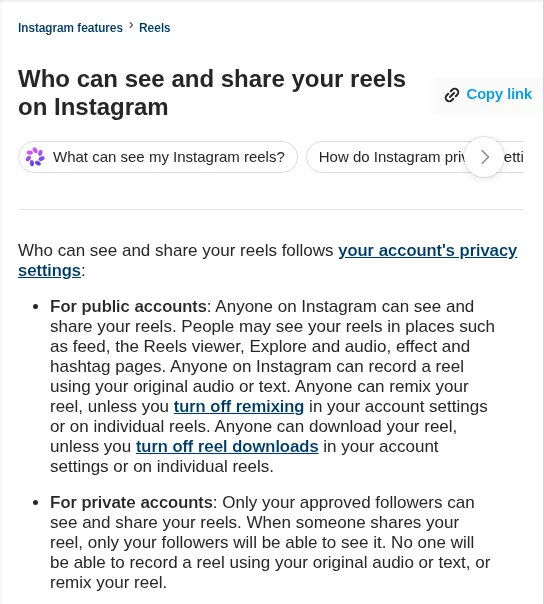
For public accounts, Instagram’s Help Center says “anyone can download your reel, unless you turn off reel downloads in your account settings or on individual reels.” TechCrunch reported in November 2023 that the option reached US users that June and everyone else that month. It also reported that downloads carry an Instagram watermark with the account name, and that Reels using licensed audio download without sound. Instagram may have changed those details since.
- Open the reel in the Instagram app.
- Tap the Share icon, then tap Download.
- No Download option? The creator has turned downloads off or the account is private. Ask the creator instead.
Save posts to a private collection
If you only want to rewatch something, tap Save below a post; for a reel, tap Options, then Save. Saved posts appear in a private section of your profile, and tapping and holding Save lets you add a post to a collection (Instagram Help). No file is created. Collections work in the mobile apps, not on computers (Instagram Help).
Download your own posts with Accounts Center
- Open Settings, then Accounts Center (some accounts now see Meta Account).
- Tap Your information and permissions, then Export your information.
- Tap Create export, choose your profile, then Export to device.
- Pick the information, date range, format, and media quality, then tap Start export.
According to Instagram’s export help page, the email with your link can take up to 30 days, and once the export is ready you have 4 days to download it from Available downloads.
Ask the creator
For anything you’ll reuse, such as a client deck, a newsletter, or a repost, get permission in writing. A short DM works: “Hi! I’d love to share your reel about [topic] on [where], credited to you. Could you send the original file, or OK me saving it?” Keep the reply.
| Option | Gives you a file? | Third party involved? | Respects creator settings? |
|---|---|---|---|
| Instagram Reels download | Yes (watermarked, per 2023 reporting) | No | Yes; creators can turn it off |
| Save to a collection | No | No | Yes |
| Accounts Center export | Yes, your own content only | No | Not applicable (your content) |
| SnapInsta-named sites | Yes, according to the sites | Yes, ad-funded | Not stated by the sites |
FAQ
There’s no single SnapInsta to vouch for. The sites using the name are ad-funded, and snapinsta.to names no operator. We found no credible report naming snapinsta.to or snapinsta.ai as malicious, but we didn’t test them. Never enter your password or install their apps, and try Instagram’s built-in download first.
None is official. snapinsta.app, the best-known domain, was ordered transferred to Instagram, LLC after a WIPO decision on March 24, 2025, and no longer loads. snapinsta.to, snapinsta.ai, and others are separate sites that share the name and say they aren’t affiliated with Instagram or Meta.
If you’re trying snapinsta.app, it no longer resolves: after the 2025 WIPO transfer, the domain points to Facebook name servers. The SnapInsta-named sites still online say they only handle public content, so posts from private accounts won’t download, and neither will posts that have been deleted.
There’s no official one. Different SnapInsta-named sites push different apps: snapinsta.to links an Android app on Google Play, while snapinsta.ai links a SnapTik app and an App Store app. None is made by Instagram. Avoid APK files from download sites, because they don’t come through Google Play.
Each site’s policy answers differently, and neither claim is independently verified. snapinsta.ai says it doesn’t log the URLs you submit and that files are removed automatically. snapinsta.to says it doesn’t collect or store data, though its policy also describes technical data collection and ad-partner cookies.
With Instagram’s own Download option, TechCrunch reported in November 2023 that Reels using licensed audio save without sound; only original audio is kept. Some third-party sites may keep the audio, but that doesn’t give you any rights to the music or the video, so don’t reuse it without permission.
We found no Instagram Help Center page that answers this directly. The web downloaders covered here don’t ask you to log in, so they aren’t connected to your account. Reposting downloaded content is a different matter: Instagram can disable accounts that repeatedly infringe others’ intellectual property rights.
Sources
Every fact in this review links to its source. All pages were checked on October 11, 2026 (PKT).
Show all 19 sources
- WIPO: Instagram, LLC v. vu dinh dat et al., Case D2025-0119, snapinsta.app and snapinst.app (Mar 24, 2025)
- Instagram Help Center: Terms of Use
- WIPO: Case DIO2025-0010, snapinsta.io (May 16, 2025)
- WIPO: Case D2026-1850, snapinstagram.pro (Jul 6, 2026)
- Google Registry RDAP: snapinsta.app record
- Identity Digital RDAP: snapinsta.io record
- Chrome Web Store: SnapInsta – Video & Photo Downloader listing (facts only; not an endorsement)
- AhnLab ASEC: Proxyware distributed on YouTube video download site (Jul 30, 2025)
- Malwarebytes: 41 deceptive download sites show a real link, then send you somewhere else (Aug 19, 2026)
- Check Point Research: Impersonation, click hijacking, and TDS (Jun 3, 2026)
- LayerX: StealTok, data-stealing TikTok downloader extensions (Apr 20, 2026)
- Instagram Help Center: Copyright
- U.S. Copyright Office: Fair Use Index (updated Jul 2026)
- Instagram Help Center: Who can see and share your reels
- TechCrunch: Instagram now allows anyone to download public Reels (Nov 22, 2023)
- Instagram Help Center: Save posts you see on Instagram
- Instagram Help Center: Create a collection for posts you save
- Instagram Help Center: Review and export a copy of your Instagram information
- BravoTech checks of snapinsta.to, snapinsta.ai, snapinsta.net, snapinsta.org, and snapinsta.cc homepages, privacy policies, contact pages, and page source (October 11, 2026). Domains are not linked.
Changelog
- October 2026: Restored and fully rewritten. Removed the old “very safe” and “ad-free” claims and the anonymous-viewer alternatives. Added the WIPO domain transfers, a current look at the sites using the SnapInsta name, Instagram’s Terms of Use, Instagram’s own download and export options, and an editorial score. Sources checked October 11, 2026. No hands-on testing was done.
- April 16, 2024: First published.
Related reads
