No affiliate links or sponsorship, and BravoTech isn’t affiliated with 3uTools or Apple. This 3uTools review is editorial: it’s based on 3uTools’ official pages, Apple Support, and security reporting. We didn’t install the app, connect a device, or flash firmware. More in our app and software reviews.
Quick answer
3uTools is a free desktop app for managing an iPhone or iPad from a computer: files, backups, firmware flashing, device checks, ringtones, and more. It runs on Windows, Mac, and Linux (not just Windows, and it isn’t an online tool), and the only official download is from 3u.com. It’s useful for advanced users, but flashing can erase data. Our editorial score is 6.2/10.
Key takeaways
- Official source: download only from 3u.com. Look-alike sites exist; a 2025 Joe Sandbox analysis classified one, 3u-tools.com, as a phishing page.
- Platforms (October 12, 2026): Windows V9.10, Mac V9.07 (Intel and Apple silicon), and Linux V9.03, plus a companion iOS app installed through the desktop client.
- Biggest risk: Smart Flash and jailbreak tools can wipe your iPhone. Back up first, and know that you can only restore iOS versions Apple still signs.
Our verdict
Editorial score: 6.2/10
Verdict: 3uTools scores 6.2 out of 10
3uTools is a capable, actively updated toolkit, but it’s for people who know what each button does. It packs device checks, file management, backups, and firmware flashing into one free app across Windows, Mac, and Linux. It loses points because 3u.com doesn’t name its maker, its terms allow some data sharing for advertising, and its strongest features can erase a device.
Who it suits: repair techs, used-phone buyers, and experienced users. Who should skip it: anyone who just needs a backup or update; Finder or Apple Devices does that.
Fact sheet · checked October 12, 2026
- What it is: Desktop iPhone and iPad manager and flashing tool
- Official site: 3u.com (domain registered in 1996, per registry records)
- Platforms: Windows V9.10 (Sep 24, 2026), Mac V9.07 (Sep 20, 2026), Linux V9.03 (Oct 9, 2026)
- Price: Free, according to 3uTools
- Developer: Not named on 3u.com; its Linux .rpm is served from i4.cn (see below)
- Needs a computer?: Yes. It’s not an online tool; the iOS app installs through the desktop client
- Best for: Advanced users, repair shops, used-device checks
What is 3uTools?
3uTools is a free desktop program that manages iPhones and iPads over a USB cable. Its About page calls it an “all-in-one tool for iOS devices” that can manage files, flash firmware, back up and restore data, clean up junk files, and make ringtones. A 2018 tutorial says “3uTools is free for all users,” and we found no pricing on 3u.com.
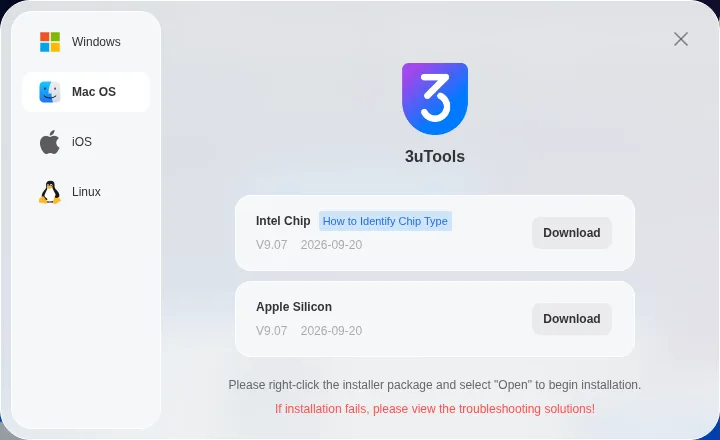
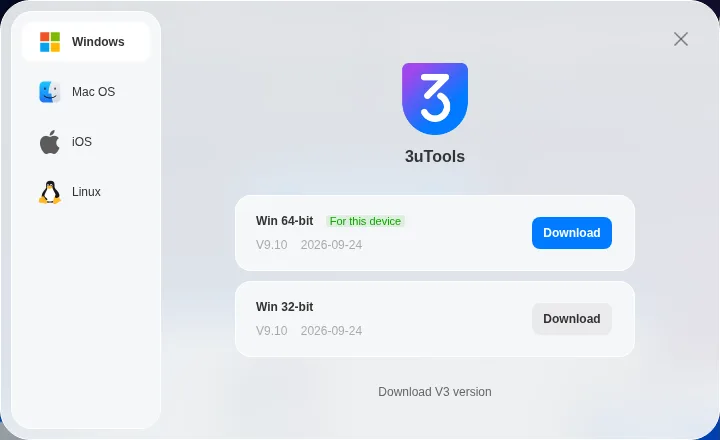
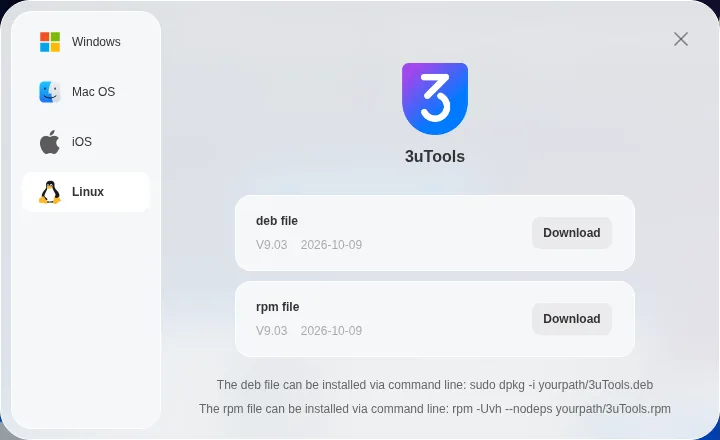
It isn’t an online service. You install it on a computer, and the download panel on the 3u.com homepage lists these builds (checked October 12, 2026):
- Windows: V9.10 (64- and 32-bit, Sep 24, 2026), plus a legacy V3.30 build.
- Mac: V9.07 for Intel and Apple silicon (Sep 20, 2026).
- Linux: V9.03 as .deb and .rpm packages (Oct 9, 2026).
- iOS: a companion app (V3.18), installed through the desktop client.
Who makes 3uTools?
3u.com doesn’t name a company. The About page gives only a Gmail contact address, and the footer reads “© 2010 – 2026 3uTools.” One clue is on the site itself: the Linux .rpm package is served from a server on i4.cn, the home of i4 Assistant (爱思助手), and the file itself is named cn.i4Tools-9.03.003-1.x86_64.rpm. The i4.cn About page names Shenzhen Weiaipu Information Technology Co., Ltd. as i4 Assistant’s developer. 3uTools doesn’t confirm that link, so treat it as likely rather than proven.
Does 3uTools work with Android or on a Chromebook?
No. 3uTools calls itself a tool “for iOS devices,” so it manages iPhones and iPads, not Android phones. The desktop app comes only for Windows, Mac, and Linux; 3u.com lists no ChromeOS version.
What can 3uTools do?
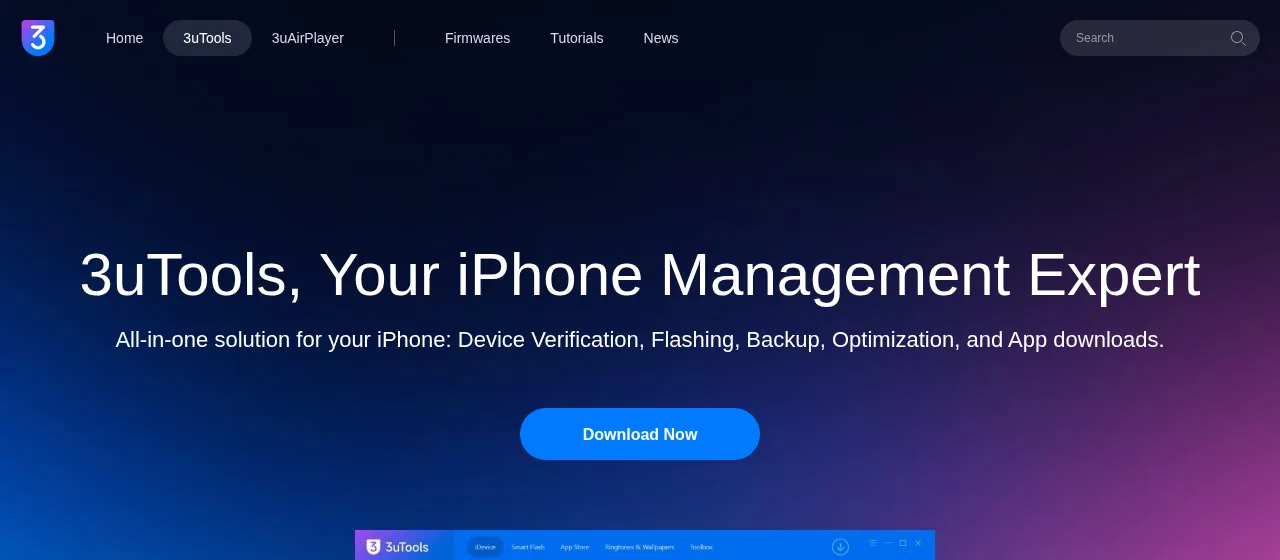
The 3uTools product page groups its features into five areas. Here’s what each does, as 3uTools describes it, and the risk we’d attach to each.
| Feature | What 3uTools says it does | Risk level |
|---|---|---|
| Verification report | Checks battery health, screen, camera, and Face ID, and flags refurbished or storage-upgraded devices | Low (read-only) |
| Data management | Moves photos, music, videos, contacts, apps, and ringtones; backup and restore | Low to medium |
| Smart Flash | Installs iOS firmware with “Retain Data” or “Deep Clean” modes; DFU rescue for stuck devices | High: can erase data |
| App Market | Installs apps “without an Apple ID” | Medium: apps from outside the App Store |
| Toolbox | Stop iOS Update, Virtual Location, IPA Signature, Jailbreak, Batch Activate/Erase, screen recording, and more | Varies; jailbreak and erase are high |
For most people, the verification report is the most useful part: 3uTools says it flags swapped or upgraded parts on a used iPhone. Apple also tells buyers to check for Activation Lock before paying, which no third-party tool can switch off for you.
What does 3uTools’ Virtual Location do?
3uTools says its Virtual Location tool can “change the device location or make some games available.” You pick a spot on a map, and a reboot restores your real location. Be careful with games: Pokémon GO’s Player Guidelines count location spoofing as cheating, which can lead to a suspension or a permanent ban.
How do you use 3uTools?
Here’s the basic first-run flow from 3uTools’ own tutorials. We haven’t run these steps ourselves.
- Install it from 3u.com and pick the build for your computer.
- Connect with a USB cable. 3uTools recommends a genuine cable.
- Tap Trust. Unlock the iPhone and tap Trust when it asks about the computer. If you miss it, 3uTools says to replug and tap Trust.
- Check the device info and the verification report once 3uTools recognizes the iPhone.
- Back up: open Back up/Restore and run a full backup, per its backup tutorial.
To update iOS, 3uTools’ official guide adds Smart Flash: pick the firmware for your model, click Start Flashing, and keep the cable connected until the iPhone restarts. If you only need an update, Settings on the iPhone is simpler.
How we checked and scored this 3uTools review
How we score
This is an editorial review built from published facts, not a lab test. We didn’t install 3uTools, connect an iPhone, or flash any firmware, so we make no claims about speed or reliability. On October 12, 2026 (PKT), we read 3u.com’s main pages and tutorials, Apple Support, registry records, and a public sandbox report, from a non-US server.
Scoring. Five criteria, each rated out of 10 from published information: publisher transparency (20%), privacy and legal terms (20%), feature usefulness compared with Apple’s tools (25%), risk of high-impact features (20%), and platform support and update cadence (15%).
| Criterion | Weight | Score | Why |
|---|---|---|---|
| Publisher transparency | 20% | 4/10 | No company named on 3u.com; Gmail contact only |
| Privacy and legal terms | 20% | 5/10 | Says it doesn’t sell personal info, but may share non-personal data for advertising |
| Feature usefulness | 25% | 8/10 | Device checks and flashing go beyond Finder and Apple Devices |
| Risk of high-impact features | 20% | 5/10 | Flashing and jailbreak tools can erase data or breach Apple’s license terms |
| Platforms and updates | 15% | 9/10 | Windows, Mac, and Linux builds all updated in Sep–Oct 2026 |
| Weighted total | 100% | 6.2/10 | Editorial rating |
Is 3uTools safe?
We found no credible security report flagging the official 3u.com download as malware. Safety comes down to where you get it, what its terms allow, and which features you use.
Older guides, including an earlier version of this page, called it safe because “it needs a login password.” A password prompt proves nothing about trust. 3uTools’ own Legal Statement says that when you download apps through it, “you may be asked to enter your device’s account and password.” Treat that as a reason for caution, not reassurance.
What do the 3uTools privacy terms say?
The Legal Statement says 3uTools doesn’t sell personal information. It also says “non-personally identifiable visitor information may be provided to other parties for marketing, advertising, or other uses.” The Disclaimer says 3uTools accepts no liability for data loss. For a refresher on threats, see our guide to malware vs. viruses.
Where can you download 3uTools safely?
Only from 3u.com. Its download buttons point to files on dl.3u.com, apart from the Linux .rpm package, which 3u.com serves from i4.cn. The domain 3u.com was first registered on March 22, 1996, according to Verisign’s registry record. Skip download portals and “cracked” or “pro” versions.
Official download only · 3u.com
Watch for look-alike 3uTools sites
Look-alike domains have copied the 3uTools brand. A 2025 Joe Sandbox analysis classified 3u-tools.com as a phishing page imitating the 3uTools download page and rated it suspicious (56/100). One generic detection rule associated with the HijackLoader malware loader matched the downloaded file. That doesn’t prove the file was malware, but it’s still a good reason to avoid the site. Registry records show 3u-tools.com was registered in February 2025 and is now on “client hold,” so it didn’t resolve when we checked on October 12, 2026. Others can appear at any time.
- Type 3u.com yourself instead of clicking ads or search results.
- Check the address bar. Hyphens or extra words (3u-tools, 3utools-download) are a warning sign.
- Expect an .exe, .dmg, .deb, or .rpm. Don’t open password-protected archives or “remote” helper tools.
- On a Mac, 3u.com says to right-click the installer and choose Open. If macOS still blocks it, Apple’s guide says to use System Settings › Privacy & Security › Open Anyway, but only for software from a source you trust.
What are the risks of flashing and jailbreaking with 3uTools?
Flashing means installing a full iOS firmware file. Apple’s own factory restore removes all information and settings, and a 3uTools flash can do the same. 3uTools’ iOS 27 update guide (September 15, 2026) tells you to back up first, use a stable USB cable, and not disconnect during flashing.
The “Retain User’s Data” option isn’t a guarantee. For downgrades, a 3uTools tutorial says checking it “is not recommended … as it may fail or the device may be abnormal after successful flashing.” It recommends a customized backup first, then “Quick Flash Mode” and a customized restore.
Can 3uTools downgrade iOS?
Only to versions Apple is still signing. 3uTools says so directly: “Once Apple stops signing it, 3uTools cannot restore that version” (September 22, 2026). As of October 12, 2026, IPSW.me showed only iOS 27.0.1 signed for the iPhone 16, so a downgrade to iOS 26 wasn’t possible on that model.
What does Apple say about jailbreaking?
3uTools lists a Jailbreak tool. Apple’s iPhone User Guide says jailbreaks “bypass security features and can cause numerous issues such as security vulnerabilities, instability, and shortened battery life.” Apple calls it a violation of the iOS software license and says it “may deny service” for such a device. Apple’s US limited warranty also excludes products “modified to alter functionality or capability without the written permission of Apple.”
3uTools pros and cons
Pros
What works in its favor: It’s free, runs on Windows, Mac, and Linux, and is updated often. The verification report helps used-phone buyers, and it offers more control than Apple’s apps.
Cons
The catch: No named publisher, some data sharing for advertising, and flashing or jailbreak tools that can erase data. It can’t beat Apple’s signing window or Activation Lock, and fake sites copy the brand.
How does 3uTools compare with Apple’s own tools?
For everyday backup, update, and restore, Apple’s free tools are enough: Finder on a Mac and the Apple Devices app on Windows, as Apple Support describes. On an older Mac, see our macOS Monterey download guide; for family sharing of purchases, see iCloud Family Sharing.
| Task | 3uTools | Finder / Apple Devices |
|---|---|---|
| Back up and restore | Yes, including selective backup | Yes, full-device backup |
| Update or reinstall iOS | Yes, picks a signed firmware | Yes, latest signed version |
| Check device health and parts | Yes, verification report | No |
| Transfer files and make ringtones | Yes | Limited |
| Jailbreak, IPA signing | Yes (high risk) | No |
| Remove Activation Lock | No | No; needs the owner’s Apple Account |
Just want to capture what’s on screen? You don’t need 3uTools: our guide on how to screenshot on iPad covers the built-in methods.
FAQ
What is 3uTools used for?
3uTools is a free desktop app for managing iPhones and iPads from a computer. People use it to transfer files, back up and restore data, check a device’s hardware and battery, make ringtones, and install or reinstall iOS firmware. Repair shops and used-phone buyers rely on its verification report.
Is 3uTools safe to use?
The official version from 3u.com is a long-running tool, and we found no credible report flagging it as malware. Still, 3u.com doesn’t name its publisher, and its terms allow some data sharing for advertising. Flashing can erase your iPhone, so back up first and avoid features you don’t need.
What is the official 3uTools website, and is 3u-tools.com real?
The official site is 3u.com. 3u-tools.com isn’t: a 2025 Joe Sandbox analysis classified it as a phishing page imitating 3uTools’ download page and rated it suspicious (56/100). One generic HijackLoader rule matched its file. That doesn’t prove malware, but avoid the site. It’s now on client hold.
Does 3uTools work on Mac or Linux?
Yes. As of October 12, 2026, 3u.com offers Mac V9.07 for Intel and Apple silicon, Linux V9.03 as .deb and .rpm packages, and Windows V9.10. It’s a desktop app, not an online tool. A companion iOS app is installed through the desktop client rather than the App Store.
Does 3uTools work with Android phones or Chromebooks?
No. 3uTools describes itself as an “all-in-one tool for iOS devices,” so it works with iPhones and iPads only. The desktop app is offered for Windows, Mac, and Linux, and 3u.com lists no ChromeOS version. Android users need a different tool made for Android.
Is 3uTools free?
Yes. A 3uTools tutorial states that “3uTools is free for all users,” and we found no pricing or paid tier on 3u.com when we checked on October 12, 2026. The apps, ringtones, and wallpapers in its built-in store are also offered without charge, according to its About page.
Can 3uTools remove Activation Lock?
No, not legitimately. Apple says the owner’s Apple Account password is needed to turn off Find My, erase, or reactivate a locked iPhone or iPad. 3uTools says its verification report covers Activation Lock status, which helps when buying a used device, but it can’t remove the lock.
Can I use 3uTools to change my location in Pokémon GO?
3uTools’ Virtual Location tool can change the location your iPhone reports, and 3uTools says it can “make some games available.” But Niantic’s Player Guidelines list location spoofing as cheating, and breaking them can lead to a warning, suspension, or a permanent ban. We don’t recommend it.
Can 3uTools downgrade iOS to any version?
No. 3uTools can only install iOS versions Apple is still signing. Its own news post says that once Apple stops signing a version, 3uTools cannot restore it, and saved SHSH blobs don’t change that. Check the signing status first, and back up before you start.
Will using 3uTools void my iPhone warranty?
Managing files or backups is unlikely to matter. Jailbreaking is different: Apple says unauthorized modification violates the iOS license and it may deny service for such a device. Apple’s limited warranty also excludes products modified to alter functionality without Apple’s permission.
Sources
Every fact in this review is linked to its source. All pages were checked on October 12, 2026 (PKT).
Show all 25 sources
- Verisign RDAP: 3u.com registration record
- 3uTools: About Us
- 3uTools tutorial: What Can You Do Using 3uTools? (Aug 14, 2018)
- 3uTools official site, homepage and download panel (versions and dates as listed on October 12, 2026)
- i4.cn (i4 Assistant): About page, in Chinese
- 3uTools: product page (features and toolbox list)
- Apple Support: Activation Lock for iPhone and iPad (Apr 29, 2026)
- 3uTools tutorial: How to Change Location by Virtual Location on 3uTools? (Jul 10, 2023)
- Pokémon GO Help Center: Niantic Player Guidelines
- 3uTools tutorial: 3uTools Frequently Prompts “Connection Timeout”? (Trust prompt and cable tips)
- 3uTools tutorial: How to Choose Backup & Restore and Customized Backup & Restore? (Mar 21, 2025)
- 3uTools tutorial: How to Update to iOS 27 with 3uTools (Sep 15, 2026)
- 3uTools: Legal Statement
- 3uTools: Disclaimer
- Joe Sandbox: analysis 1781968 of http://3u-tools.com
- Verisign RDAP: 3u-tools.com registration record
- Apple Support: Safely open apps on your Mac (May 27, 2026)
- Apple Support: Restore iPhone, iPad or iPod touch to factory settings
- 3uTools tutorial: The Public iOS 16.6.1 Is Now on 3uTools (Sep 11, 2023), downgrade and Retain User’s Data tips
- 3uTools news: Apple Stops Signing iOS 26.6.2, Making iOS 27 Downgrades Impossible (Sep 22, 2026)
- IPSW.me: iPhone 16 firmware signing status
- Apple iPhone User Guide: Unauthorized modification of iOS
- Apple One (1) Year Limited Warranty, US
- 3uTools tutorial: 3uTools iDevice Verification: What is Activation Lock and Serial Number Verified (Sep 19, 2018)
- BravoTech headless-Chrome captures of 3u.com’s product page and download window (October 12, 2026). Nothing was downloaded or installed.
Changelog
- October 12, 2026: Editorial update. Reworded the 3u-tools.com sandbox findings to match the report (suspicious, 56/100; one generic rule match), sourced the Activation Lock check to 3uTools’ tutorial, added a first-run how-to, Android/Chromebook, Virtual Location, and Mac Gatekeeper notes, and changed the FAQ to plain headings. Still no hands-on testing.
- October 2026: Fully rewritten. Corrected the platform list (3uTools runs on Windows, Mac, and Linux and isn’t an online tool), removed the “safe because it needs a login password” claim and the “best tool” headline, and added the official-download and look-alike-domain warning, flashing and downgrade limits from 3uTools and Apple, an editorial score, and dated sources. No hands-on testing was done.
- July 8, 2024: First published.
Related reads