Every retention window on this page was read from the provider’s own help pages on November 17, 2026 (PKT). We didn’t delete, restore or time any files, and there are no screenshots. There are no affiliate links, rankings or product picks. Plan rules change, so check the linked page for your account type before you rely on a number. How we work: editorial policy.
Quick answer
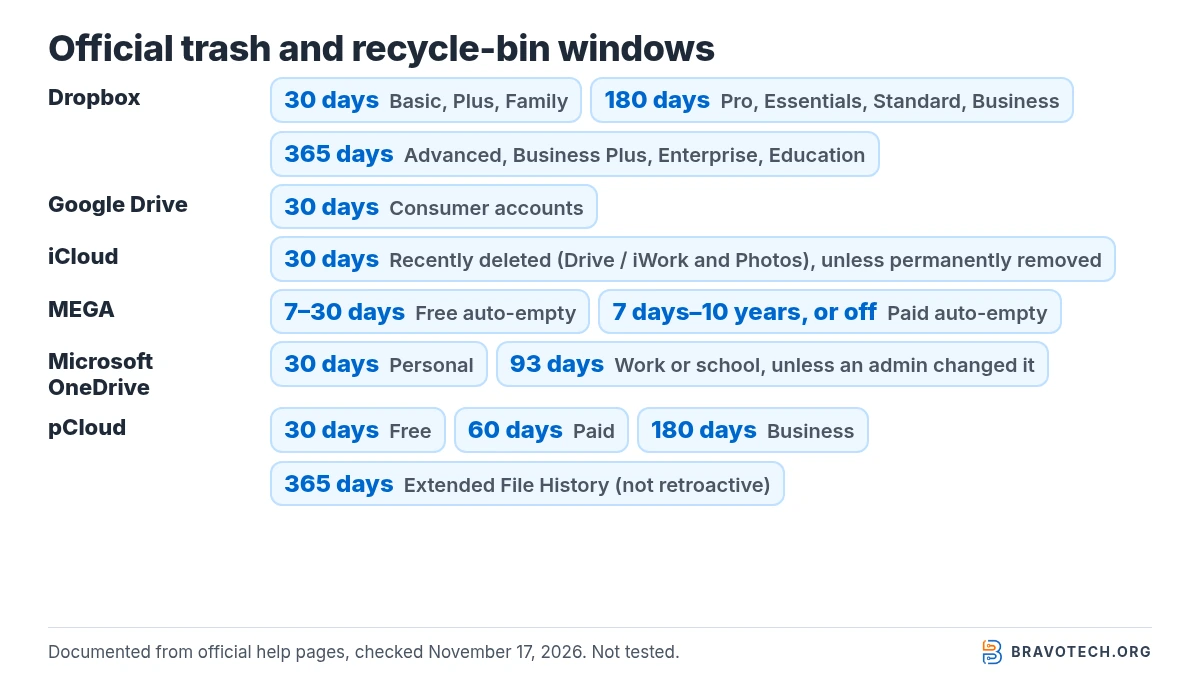
On November 17, 2026, official personal-account windows were 30 days for Google Drive Trash, the OneDrive personal recycle bin, and iCloud recently deleted files. Dropbox is 30 days on Basic, Plus and Family, then 180 or 365 days on higher plans. pCloud Help lists 30 days on free plans and 60 on paid plans. MEGA lets you set how often the Rubbish bin empties. Emptying trash or choosing delete forever usually ends that window sooner.
Key takeaways
- There isn’t one number for every service. The window often depends on the plan or on whether the account is personal or work/school.
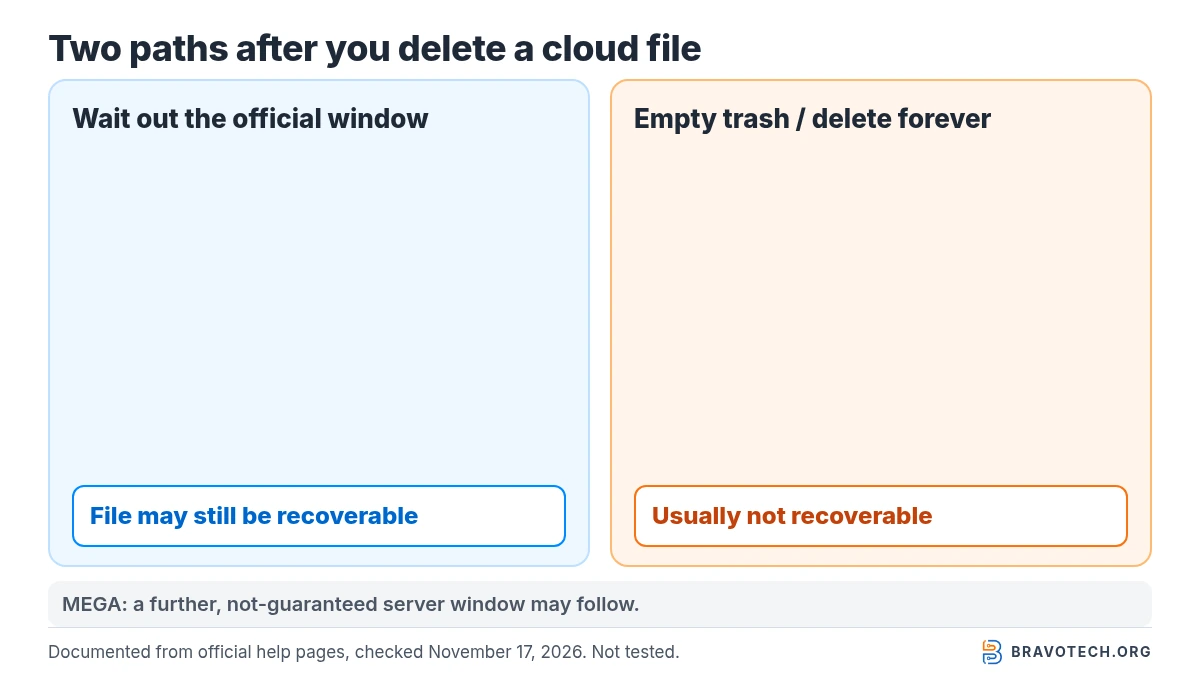
- Emptying trash can end recovery immediately, even if the usual window has days left.
- Trash is not version history. Trash holds items you deleted; version history holds earlier copies of a file that still exists.
- Trashed files can still use storage — Google Drive says items stay in your storage until they are deleted forever.
In this guide
- Retention periods by provider
- How long do deleted files stay in Google Drive?
- How long does the OneDrive recycle bin keep files?
- How long can you recover deleted Dropbox files?
- How long does iCloud keep recently deleted files?
- What do pCloud and MEGA officially document?
- Does emptying Trash end recovery sooner?
- How is this different from version history?
- FAQ
- Sources
How long do deleted cloud files stay recoverable?
It depends on the service, and often on the plan, according to official help pages opened on November 17, 2026. The table gathers each documented trash, recycle-bin, Recently Deleted or Rubbish-bin window. Providers are listed alphabetically, not in any order of preference. Where a vendor splits personal and work accounts, or free and paid plans, both figures are shown with the page they come from.
| Provider | Account or plan | Official recovery window | If you empty trash or delete forever | Source, checked |
|---|---|---|---|---|
| Dropbox | Basic, Plus and Family | 30 days | Permanently deleted files can’t be recovered | Dropbox Help, Nov 17, 2026 |
| Dropbox | Professional, Essentials, Standard and Business | 180 days | Same: permanent deletion ends recovery | Dropbox Help, Nov 17, 2026 |
| Dropbox | Advanced, Business Plus, Enterprise and Education | 365 days | Same: permanent deletion ends recovery | Dropbox Help, Nov 17, 2026 |
| Google Drive | Consumer accounts | 30 days in Trash | Emptying Trash or Delete forever removes the file immediately | Drive Help, Nov 17, 2026 |
| iCloud Drive / iWork | Files recoverable on iCloud.com | 30 days | Permanently removed files can’t be recovered | iCloud User Guide, Nov 17, 2026 |
| iCloud Photos | Recently Deleted album | 30 days | After 30 days the item is deleted permanently | Apple Support, Nov 17, 2026 |
| MEGA | Free accounts | Auto-empty can be set between 7 and 30 days | You can also empty the Rubbish bin yourself | MEGA Help, Nov 17, 2026 |
| MEGA | Paid personal and Business | Auto-empty optional; can be set from 7 days to 10 years, or turned off | The bin isn’t meant for long-term storage, MEGA says | MEGA Help, Nov 17, 2026 |
| Microsoft OneDrive | Personal accounts | 30 days | Can’t restore after permanent deletion from the recycle bin | Microsoft Support, Nov 17, 2026 |
| Microsoft OneDrive | Work or school accounts | 93 days, unless an administrator changed the setting | Same: can’t restore after permanent deletion | Microsoft Support, Nov 17, 2026 |
| pCloud | Free plans | 30 days in Trash | After the window, files are permanently deleted; Extended File History does not bring those back | pCloud Help, Nov 17, 2026 |
| pCloud | Paid plans | 60 days in Trash | Same permanent-deletion rule | pCloud Help, Nov 17, 2026 |
| pCloud | Business accounts | 180 days in Trash | Stated on pCloud’s usage-by-user/team help article | pCloud Help, Nov 17, 2026 |
| pCloud | With Extended File History add-on | 365 days (from the date you turn the add-on on; not retroactive) | Still cannot restore items already permanently deleted from Trash | pCloud Help, Nov 17, 2026 |
This page is a cross-provider reference. For the step-by-step Google Drive restore path, including shared drives, see how to restore a deleted file from Google Drive Trash.
How long do deleted files stay in Google Drive?
Google Drive Help says files stay in Trash for 30 days, then they are deleted forever. Emptying Trash or choosing Delete forever also removes a file immediately. Items in Trash still count toward storage until they are gone for good. If you own the file, people you shared it with can keep opening it until it is permanently deleted; if you are not the owner, emptying your Trash does not take the file away from others.
Those figures come from Google’s recover-files article and the restore-from-Trash article, both opened on November 17, 2026. Workspace admin recovery after a file has already left Trash is a separate, administrator-only process; the steps live on the Google Drive recovery how-to, not in this table.
How long does the OneDrive recycle bin keep files?
Microsoft’s restore article says you can restore files or folders deleted from a personal OneDrive account within the last 30 days. Work or school accounts have 93 days, unless an administrator changed the retention setting. You can’t restore items after they have been permanently deleted from the OneDrive recycle bin. Files deleted only in the cloud, including online-only files, do not appear in the Recycle Bin on a Windows PC or the Trash on a Mac.
The current article is Restore files deleted from your OneDrive, checked on November 17, 2026. An older Microsoft URL that discussed deleting files in the cloud now redirects to this same page, so the figures above come from the live article, not from the stale address. If OneDrive itself is full, what to do when OneDrive storage is full is the clean-up guide.
How long can you recover deleted Dropbox files?
Dropbox Help ties the window to the plan: 30 days on Basic, Plus and Family; 180 days on Professional, Essentials, Standard and Business; and 365 days on Advanced, Business Plus, Enterprise and Education. Those same plan groups appear on Dropbox’s data-retention article. Add-ons can extend the period; they are described only as documented features here, not as something to buy. Once a file is permanently deleted, Dropbox says it can no longer be recovered.
Sources: Recover deleted files and folders and How long does Dropbox keep my deleted files, both opened on November 17, 2026. For what a Dropbox plan includes more generally, see what a Dropbox plan includes.
How long does iCloud keep recently deleted files?
On iCloud.com you can recover files deleted from iCloud Drive and from other iWork apps within the last 30 days, unless you permanently removed them. Apple’s iCloud Photos article gives the same 30-day window for the Recently Deleted album: after that, the photo or video is deleted permanently. Those libraries sync across devices; they are not the same thing as an iCloud Backup snapshot of an iPhone.
Sources: Recover deleted files on iCloud.com and Set up and use iCloud Photos, checked on November 17, 2026. If iCloud storage itself is full, how to free iCloud storage covers what uses that space. How cloud storage differs from a backup explains the sync-versus-backup distinction.
What do pCloud and MEGA officially document?
pCloud Help, opened on November 17, 2026, lists Trash retention as 30 days on free plans, 60 days on paid plans, and 365 days with the Extended File History add-on. The add-on is not retroactive and cannot restore files already permanently deleted from Trash. MEGA lets free accounts set automatic Rubbish-bin emptying between 7 and 30 days; paid accounts can set 7 days to 10 years, or turn auto-empty off.
After an item leaves the Rubbish bin, MEGA says it keeps the data on its servers for at least 30 days, but recovery after that point is not guaranteed (How long does MEGA keep my deleted data?, which showed an update date of 24 April 2026). pCloud figures come from File recovery and history and, for Business, usage by user or team. We did not use pCloud’s marketing Backup page, which has described shorter windows than the Help Center.
Where official pages can disagree
If a provider’s marketing page and its Help Center disagree, this article uses the Help Center figure and dates the check. On November 17, 2026 that applied to pCloud: the Help Center table (30 / 60 / 365 days) is the source for the rows above.
Does emptying Trash end recovery sooner?
Usually, yes, if the official page treats empty or delete-forever as permanent. Google Drive, OneDrive and Dropbox all say you cannot restore an item after it has been permanently deleted from trash. Apple says you can’t recover files you permanently remove. pCloud says even Extended File History will not bring back items already cleared from Trash. MEGA still describes a further, not-guaranteed server window after the bin is emptied — that is not the same as a promised restore.
How is this different from version history?
Trash holds a file you deleted. Version history holds earlier copies of a file that is still in the folder, or that hasn’t been permanently removed. The number of days can look similar — several personal plans use 30 days for both — but the two features answer different questions. A dated table of version-history limits is in BravoTech’s companion article, how long each service keeps previous file versions.
Upload and file-size caps are a third, separate limit. Those are collected in cloud storage file-size and upload limits by provider. This page does not rank services, and it is part of BravoTech’s cloud storage guide.
FAQ
Do files in Trash still use my storage?
Google Drive Help says items in Trash take up storage until they are deleted forever. Other providers do not all state this the same way; check the linked help page for your service rather than assuming Drive’s rule applies everywhere.
What if I wasn’t the owner of the Google Drive file?
Drive Help says that if you are not the owner, other people can still access the file even after you empty your Trash. Only the owner’s permanent deletion removes it for everyone.
If someone deletes a file from a MEGA shared folder, whose Rubbish bin is it in?
MEGA says the item goes into the Rubbish bin of the person who deleted it, and other people with access to the folder — including the folder owner — will not have it in their own bin.
Can a third-party tool recover a file after the official window?
This article only documents what official help pages say. It does not list, test or recommend recovery tools.
How this article was made. We drafted this article with the help of AI tools, working from the official pages listed in Sources. Plan limits and steps were checked against those pages on November 17, 2026. It was prepared by the BravoTech team and published under our editorial standards. We did not test these products hands-on for this article. Spot an error? Email [email protected].
Sources
12 official provider pages, each opened on November 17, 2026 (PKT).
Show all 12 sources
- Google Drive Help: Recover files in the trash (30 days; emptying deletes forever; trash uses storage)
- Google Drive Help: Restore a file from Trash (files remain in Trash for 30 days)
- Google Drive Help: Delete or restore files
- Microsoft Support: Restore files deleted from your OneDrive (personal 30 days; work or school 93 days unless an admin changed it)
- Dropbox Help: Recover deleted files and folders (plan windows)
- Dropbox Help: How long does Dropbox keep my deleted files and information?
- Apple iCloud User Guide: Recover deleted files on iCloud.com (30 days)
- Apple Support: Set up and use iCloud Photos (Recently Deleted, 30 days)
- pCloud Help: File recovery and history (Trash 30 / 60 / 365 days)
- pCloud Help: Viewing and managing usage by user/team (Business Trash 180 days)
- MEGA Help Centre: What is the Rubbish bin and how do I manage automatically emptying it?
- MEGA Help Centre: How long does MEGA keep my deleted data? (updated 24 April 2026)
Changelog
- November 24, 2026: First published. All retention windows checked on November 17, 2026.
Related reads